
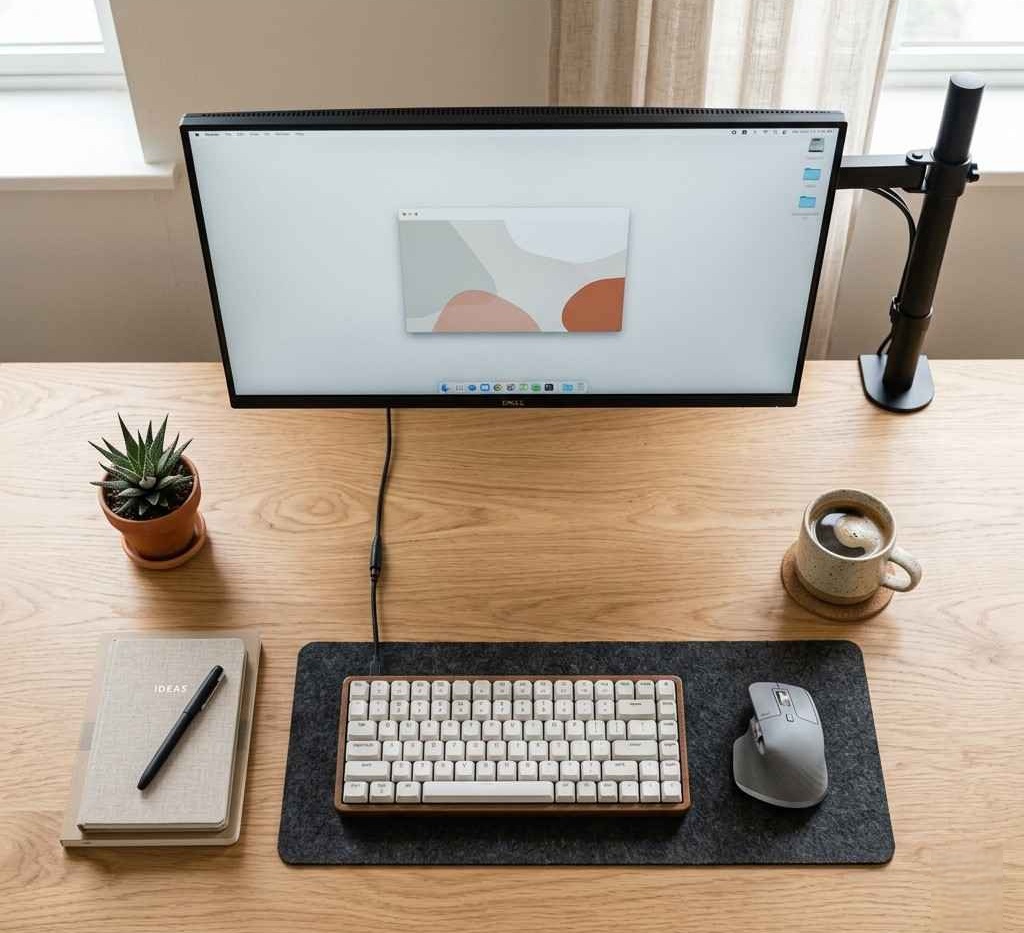
If you’re working with limited desk space, every inch matters. A bulky monitor stand can quickly turn your workspace into a cluttered mess, affecting both productivity and comfort. That’s where the best monitor arms for small desks come in.
These space-saving tools lift your monitor off the desk, improve ergonomics, and give you a cleaner, more organized setup. Whether you’re a student, remote worker, or content creator, the right monitor arm can completely transform your workspace.
In this guide, we’ll break down the top monitor arms that are perfect for compact desks—so you can work smarter without needing more space.
Quick Picks Table
| Best For | Product | Why It Wins |
|---|---|---|
| Best Overall | Ergotron LX Desk Mount Arm | Premium build, ultra-smooth movement |
| Best Budget | HUANUO Single Monitor Arm | Affordable with solid performance |
| Best Premium | Fully Jarvis Monitor Arm | Sleek design + high durability |
| Dual Setup | VIVO Dual Monitor Arm | Great for multitasking setups |
| Minimal Desk | NB North Bayou F80 | Compact and space-efficient |
Ergotron LX Desk Mount Arm
- Best For: Overall performance and durability
- Key Features: Smooth articulation, 34” support, cable management
- Pros:
- Extremely durable
- Smooth movement
- Long warranty
- Cons:
- Expensive
- Why We Recommend It:
If you want a long-term investment, this is one of the most reliable monitor arms available. - Ideal User: Professionals and heavy daily users
- CTA: Check latest price
HUANUO Single Monitor Mount
- Best For: Budget users
- Key Features: Gas spring system, 27” support, clamp/grommet install
- Pros:
- Affordable
- Easy setup
- Good stability
- Cons:
- Not ideal for very heavy monitors
- Why We Recommend It:
Perfect entry-level option for small desk setups. - Ideal User: Students and beginners
Fully Jarvis Monitor Arm
- Best For: Premium aesthetic setups
- Key Features: Aluminum build, smooth adjustments, modern design
- Pros:
- Clean design
- High-quality materials
- Stable
- Cons:
- Higher price
- Why We Recommend It:
Ideal if you care about both looks and performance. - Ideal User: Designers and creators
VIVO Dual Monitor Desk Mount
- Best For: Dual monitor setups
- Key Features: Dual arms, adjustable tilt/rotation
- Pros:
- Supports two monitors
- Affordable dual option
- Cons:
- Takes more horizontal space
- Why We Recommend It:
Great for multitaskers working on small desks. - Ideal User: Developers, traders
NB North Bayou F80
- Best For: Compact setups
- Key Features: Gas spring arm, slim design
- Pros:
- Space-efficient
- Smooth movement
- Cons:
- Limited weight capacity
- Why We Recommend It:
Excellent for tight desk environments. - Ideal User: Minimalist users
Amazon Basics Premium Monitor Arm
- Best For: Value + quality balance
- Key Features: Ergotron-built, cable management
- Pros:
- Reliable performance
- Good price for quality
- Cons:
- Limited color options
- Why We Recommend It:
Great alternative to premium brands at a lower cost. - Ideal User: Smart buyers
Mount-It! Single Monitor Arm
- Best For: Basic ergonomic setups
- Key Features: Steel construction, adjustable height
- Pros:
- Durable
- Budget-friendly
- Cons:
- Slightly stiff adjustments
- Why We Recommend It:
A solid, no-frills choice. - Ideal User: Office users
WALI Single Monitor Gas Spring Arm
- Best For: Entry-level ergonomic upgrade
- Key Features: Full motion adjustment
- Pros:
- Affordable
- Easy install
- Cons:
- Build quality is average
- Why We Recommend It:
Good starter arm for small desks. - Ideal User: Casual users
AVLT Single Monitor Arm
- Best For: Heavy monitors
- Key Features: High weight capacity, sturdy base
- Pros:
- Strong support
- Stable
- Cons:
- Slightly bulky
- Why We Recommend It:
Ideal for larger screens on small desks. - Ideal User: Gamers
HUANUO Dual Monitor Stand
- Best For: Budget dual setup
- Key Features: Dual arms, adjustable positions
- Pros:
- Cost-effective
- Decent performance
- Cons:
- Less smooth than premium models
- Why We Recommend It:
Best dual setup under budget. - Ideal User: Students with dual screens
Buying Guide
How to Choose Monitor Arms for Small Desks
1. Budget
Affordable options work well for basic setups, but premium arms offer smoother adjustments and longer lifespan.
2. Build Quality
Look for aluminum or high-grade steel for durability.
3. Features
Gas spring arms allow easy movement. Cable management helps keep your desk clean.
4. Size & Desk Space
Compact arms with vertical movement are best for small desks.
5. Compatibility
Check VESA support (75x75mm or 100x100mm) and monitor size/weight.
6. Brand Trust
Established brands usually offer better support and warranty.
7. Warranty
Aim for at least 1–5 years.
8. Who Should Buy What
- Students → Budget arms
- Professionals → Premium arms
- Gamers → Heavy-duty arms
- Minimalists → Compact designs
Comparison Section
| Feature | Ergotron LX | HUANUO Arm | Fully Jarvis |
|---|---|---|---|
| Price | High | Low | High |
| Build Quality | Good | Good | Excellent |
| Adjustability | Good | Good | Excellent |
| Best For | Professionals | Beginners | Premium setups |
FAQ Section
1. Are monitor arms worth it for small desks?
Yes. They free up desk space and improve ergonomics significantly.
2. Can monitor arms damage desks?
Not if installed properly. Most come with protective padding.
3. Do all monitors support monitor arms?
Only if they have VESA mounting holes.
4. What size monitor can a monitor arm hold?
Depends on the model, but most support 24–32 inches.
5. Clamp vs grommet: which is better?
Clamp is easier to install; grommet is more stable.
6. Are dual monitor arms good for small desks?
Yes, but choose compact designs to avoid clutter.